When something breaks, people search for it. “Is Acme down?” “Acme status.” If your status page can't be read by search engines and AI assistants, someone else's page answers that question for you. Server-side rendering is how you make sure it's yours.
Why status pages need to be found
Most marketing pages compete for attention on good days. A status page earns its traffic on bad days, and a lot of that traffic starts in a search box or an AI assistant:
- Customers search before they log in. When an app feels slow, many people type “[product] status” or “is [product] down” into Google first.
- AI assistants get asked too. More and more people ask ChatGPT, Claude or Perplexity whether a service is having problems. Those tools can only cite pages they can read.
- Third-party outage sites fill the gap. If your own page doesn't show up, crowd-sourced outage trackers and social posts become the source of truth — with guesses instead of facts.
- Incident history builds trust. A prospect researching your reliability should find your well-written incident reports, not just complaints.
All of that depends on one thing: when a crawler requests your status page, does it get real content back?
The problem with client-side rendered status pages
Many modern web apps are built as single-page applications. The server sends an almost empty HTML file — a title, an empty <div id="root"> and a JavaScript bundle — and the browser builds the page after the script runs. For a person in a browser, that works fine. For crawlers, it creates three problems.
1. Search engines see the page late, or not at all
Google can run JavaScript, but it does so in a separate rendering step: pages are crawled, then queued for rendering, and only then indexed from the rendered HTML. Google notes that a page can sit in that queue for a few seconds or longer, and still recommends server-side rendering or pre-rendering because it is faster for both users and crawlers. For a status page, where an incident can start and end within an hour, “eventually” is too late.
2. Most AI crawlers don't run JavaScript
In Vercel's analysis of AI crawler traffic (December 2024), none of the major AI crawlers — including OpenAI's GPTBot, Anthropic's ClaudeBot and PerplexityBot — rendered JavaScript. They download the HTML and stop there. A client-side rendered status page looks empty to them, so an AI assistant has nothing to quote when someone asks whether you're down.
3. Every page looks the same
Without server rendering, every URL tends to return the same generic HTML: the same title, the same description, sometimes even the same canonical URL. Search engines then treat your status page, each incident page and every other customer's status page as duplicates of one another — and pick one or none to show. Link previews in Slack, X or LinkedIn have the same problem: they show a generic card instead of “Login errors — Resolved.”
What server-side rendering changes
With server-side rendering (SSR), the server builds the HTML for each page before sending it. Crawlers, link previews and people on slow connections all receive the real content in the first response. For a status page, that means:
- Real content in the HTML. The overall status, current incidents, scheduled maintenance, services and recent incident history are right there in the source.
- A unique title and description per page. The status page, every incident and every maintenance get their own, so search results show what actually happened.
- Correct canonical URLs. Each page points to itself — on your subdomain or your own custom domain — instead of to a shared default.
- Rich link previews. Open Graph and Twitter tags give each incident a meaningful card when it's shared in Slack, on X or in a support reply.
- Structured data. JSON-LD tells search engines what each page is: a status page, an incident article with its updates, and where it sits in the site.
- Faster first paint. Visitors see the status immediately instead of a loading spinner, which matters most when they're anxious and on a congested network.
How we do it at Statusentry
Statusentry's public status pages, on both statusentry.com subdomains and custom domains, are now server-rendered. Like many single-page apps, they used to send the same generic shell for every page, including a canonical link to statusentry.com — which told search engines every customer's status page was a copy of our homepage. Here's what each page returns now:
- The status page (/): the page title and description, canonical URL, Open Graph and Twitter tags, a JSON-LD WebPage description and an HTML snapshot with the overall status, active incidents, scheduled maintenance, services and past incidents with links.
- Incident pages (/incidents/{id}): every public update, marked up as an Article with breadcrumbs.
- Maintenance pages (/maintenances/{id}): the same treatment for scheduled maintenance.
- robots.txt and sitemap.xml for every status page, listing the home page, open and past incidents and upcoming maintenance.
Private stays private
SEO should never leak internal information. Internal incidents, internal updates, internal maintenance and disabled services are never rendered — the same rules as our public API. Unknown pages return a 404 with a noindex tag, so search engines don't index empty URLs.
Fast for people, not just bots
Server rendering shouldn't make the page slower for the people actually using it. The HTML snapshot appears instantly, and the interactive app takes over as soon as its JavaScript loads. The server also embeds the data the app needs for its first render, so the browser doesn't repeat the same API calls.
Ready for traffic spikes
Status pages get hit hardest exactly when things go wrong. Server-rendered pages are cached briefly on the server and sent with short public cache headers — a 10-second lifetime, permission to serve a slightly stale copy while refreshing, and permission to keep serving the last good page for up to an hour if the backend errors. That's the same approach large status page providers use, and it lets a CDN absorb a sudden flood of visitors.
Checklist: make your status page discoverable
If you run your status page on Statusentry, the technical work is done. A few steps on your side help search engines and AI assistants find it faster:
- Use your own domain. A status page on status.yourcompany.com builds authority for your brand. Custom domains are included in the Business and Enterprise plans.
- Link to it. Add your status page to your website footer, help center and app. Links are how crawlers discover pages.
- Add it to Google Search Console. Add the status page as a property and submit its /sitemap.xml to speed up indexing.
- Name services the way customers search. “Checkout” and “Login” are better than “svc-payments-eu.”
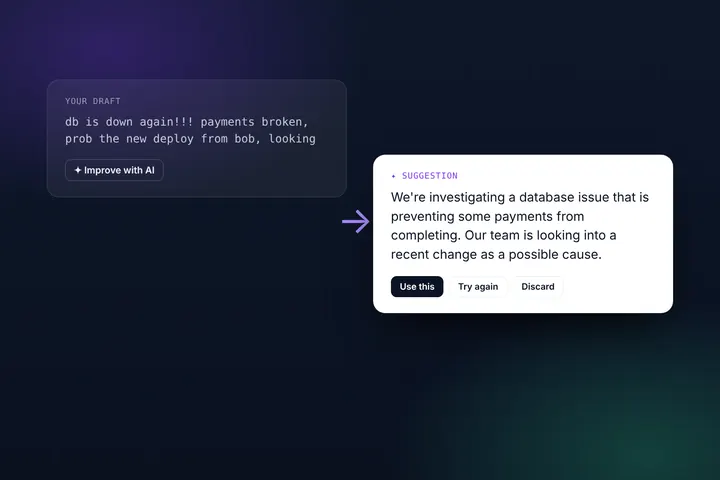
- Write clear incident titles. They become page titles in search results. Our AI writing assistant helps keep them short and specific.
- Keep your history public. Resolved incidents with clear updates are evidence of reliability, not a liability.
The bottom line
A status page that crawlers can't read is invisible at the moment it matters most. Server-side rendering puts your own words in front of search engines, AI assistants and link previews, so when customers ask whether you're down, the answer comes from you.
Want to see it? Open our demo status page and view its source, or create a free Statusentry account and publish your own. For the bigger picture, read how we monitor Statusentry.