A status page is the one service that has to work when everything else doesn't. So when the product you build is the status page, monitoring isn't a nice-to-have — it's the job. Here's how we keep an eye on Statusentry, and why every SaaS team should do the same for its own product.
Why a status page product has to be the most reliable thing you run
Most software is used on good days. A status page is used on bad ones. People open it when something is already broken: their app is down, their API calls are failing, or a vendor they depend on is having a rough afternoon. That changes the requirements:
- Traffic arrives during incidents. When a widely used service goes down, its status page can go from a few visitors to thousands within minutes.
- Notifications are the product. An incident update that is posted but never reaches email inboxes, Slack channels or webhooks hasn't really been communicated.
- Failure is doubly visible. If a status page is down during an outage, customers now have two problems and no information.
- Trust is the whole value. Teams choose a status page provider so they look reliable in their worst moments. We can't ask for that trust without earning it ourselves.
Why monitoring matters for every SaaS product
You don't have to build a status page to care about this. For any SaaS product, the real question is: who notices downtime first — you or your customers?
If the answer is your customers, every outage costs more than it should. The first sign is a support ticket, then a few more, then a public post. By the time engineering is looking at it, your support team is already answering “is it down?” questions one by one. Gartner's often-quoted estimate put the average cost of IT downtime at $5,600 per minute, and that number doesn't include lost trust or the hours spent on follow-ups.
Monitoring turns that around. You find out first, you confirm the impact, and you publish a calm update before the ticket queue fills up. That's the difference between “we're aware and working on it” and “thanks for letting us know.”
How we monitor Statusentry
1. We run Statusentry on Statusentry
Our own status page is status.statusentry.com, built with the same product our customers use. It lists the parts of the platform you actually depend on: the Admin Panel, Integrations and Public Status Pages, plus a Notifications group for Email, Slack and Webhook notifications.
Using our own product every day is the best quality check we have. If posting an update feels slow or a notification arrives late, we feel it before our customers do. And when something goes wrong, we post it there — our incident history is public, just like we recommend to our customers.
2. Endpoint checks on our own app every 5 minutes
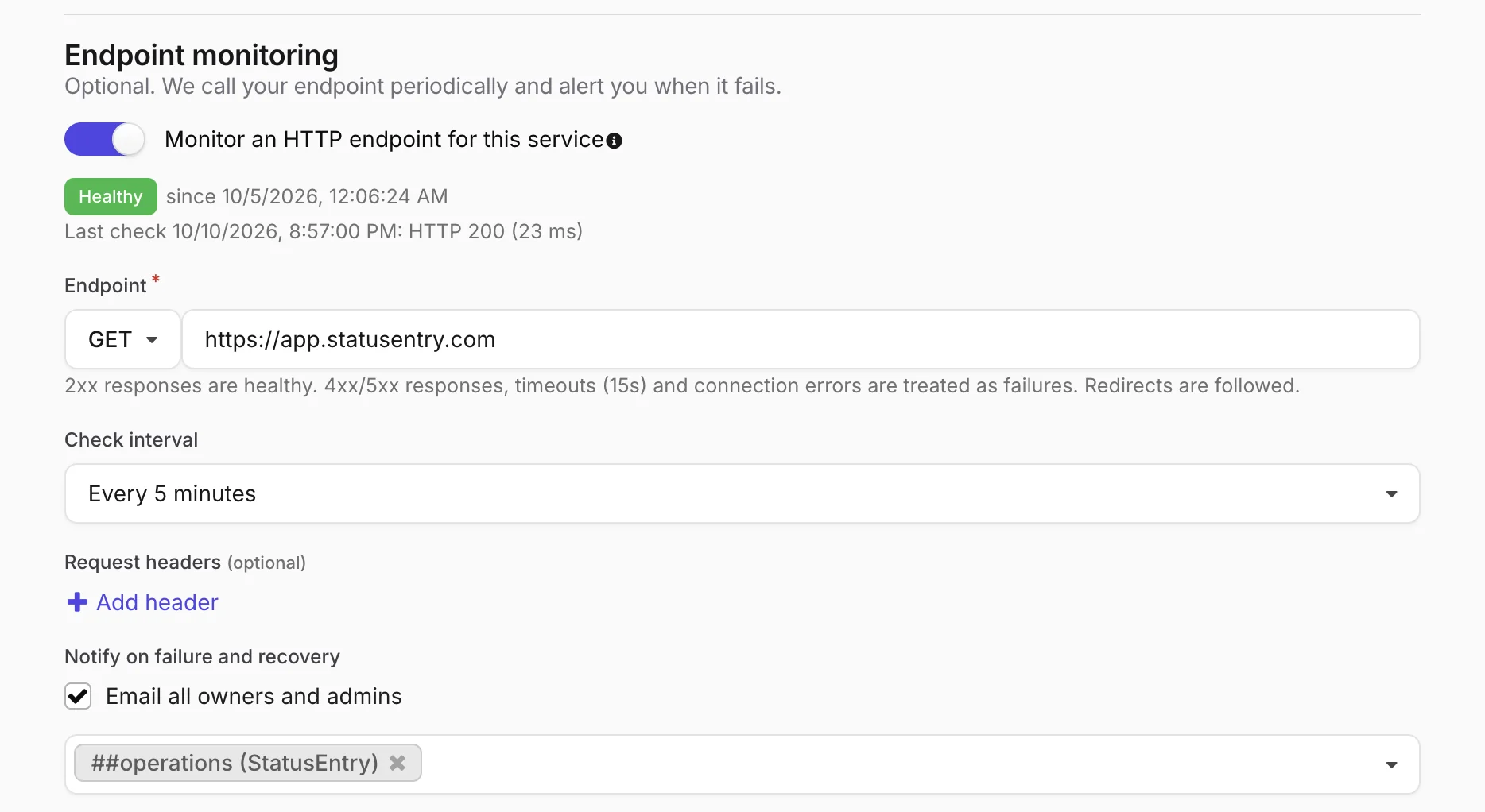
We use Statusentry's endpoint monitoring to check our own admin app. A GET request to app.statusentry.com runs every 5 minutes. Anything other than a 2xx response, a connection error or a response slower than 15 seconds counts as a failure.
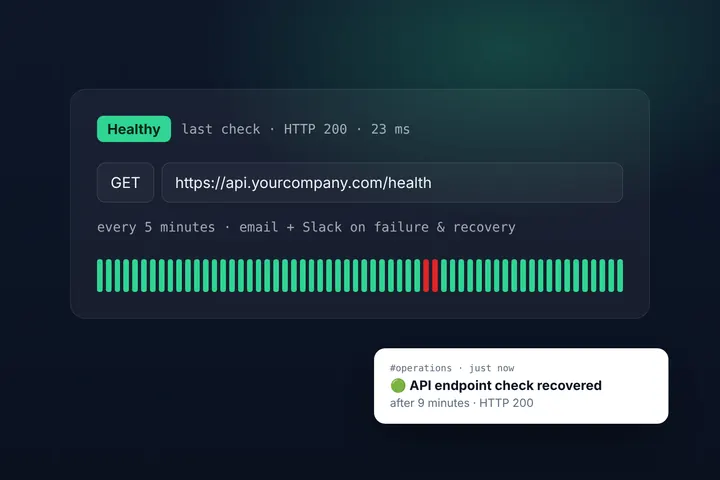
When a check fails, every owner and admin gets an email and a message lands in our #operations Slack channel. When it recovers, we get a second message with how long it was down. Because alerts fire on state changes rather than every check, the channel stays quiet when things are fine — so when it lights up, people pay attention.
3. A scheduled check on the demo status page
Our demo status page is often the first thing a prospective customer opens, so a broken demo is a broken first impression. A scheduled job requests demo.statusentry.com and notifies the team if it doesn't answer with a 2xx response.
It's a small thing, but it reflects a principle: monitor what people actually see, not only the servers behind it.
4. Metrics behind the checks
An uptime check tells you whether something answers. It doesn't tell you that one endpoint got three times slower after a deploy. Our application also reports request-level transaction metrics to our observability tooling, so we can spot slow endpoints and error spikes that a simple up/down check would miss.
5. Monitoring the monitor
A monitoring system that silently stops is worse than none, because it gives you false confidence. Two details in how Statusentry runs checks are there for exactly that reason:
- Exactly-once scheduling. Statusentry is built to run on several servers at once, and a coordinator makes sure every check runs on exactly one of them — no duplicate alerts as we scale out.
- No silent pauses. If an account reaches its monthly check quota, monitoring pauses and owners are emailed right away, so nobody assumes they're covered when they aren't.
6. Internal first, then public
Alerts go to our team, not to customers. Once we understand what's happening, we open an incident on status.statusentry.com, mark the affected services and post updates as we learn more. Subscribers get every update by email, Slack or webhook. That two-step flow — detect privately, communicate publicly — gives customers accurate information instead of raw alarm noise.
A monitoring checklist for your SaaS
Whatever tools you use, these are the habits that make the biggest difference:
- Check from the outside. Test your product the way customers reach it — over the public internet, through your real domain, TLS and load balancer.
- Monitor what customers touch. Your login page, your public API and your key workflows matter more than an internal health route that always says OK.
- Match the interval to the impact. Every 5 minutes for your core app and API; every hour or few hours for marketing pages and docs.
- Alert on change, and route alerts to a place people watch. A dedicated channel such as #operations works better than a shared inbox.
- Always send recovery messages. Knowing when something came back — and how long it was gone — is as important as knowing it broke.
- Keep your status page independent of your main app. If your product and your status page share every piece of infrastructure, one outage takes down both. A hosted status page solves this by design.
- Publish incidents honestly. A status page full of green bars and no history isn't believable. A short, clear incident record builds more trust than a perfect-looking page.
What's next
Today, our monitors tell our team when something breaks, and we decide what to publish. Next, we're working on connecting the two more tightly — for example, letting a failing check suggest the affected service or prepare a draft incident, so the path from detection to customer update gets even shorter.
If you want the same setup for your own product, you can create a free Statusentry account, add your services, switch on endpoint monitoring and have a working status page in a few minutes. Questions? Write to support@statusentry.com.